Design standard
How Bridgeplay looks and reads today, for Mac players who know Steam and do not know Wine.
Principles
Seven rules. When in doubt, the second one decides.
- Answer "can I play?" first
- One headline, then the details.
- When unsure, do what macOS does
- Standard controls, dialogs, menus and wording.
- Black canvas, near-white type, hairlines
- No shadows, except on things that float.
- The gradient marks emphasis only
- Progress, a value's extent, on, done. Never a button.
- One white button
- Per row, or per step.
- Say what is kept
- Whenever something installs, repairs or removes.
- Stay quiet
- News waits in a banner. Motion stops under Reduce Motion.
Leave to macOS
| Need | Use | Not |
|---|---|---|
| A choice with a cost | .confirmationDialog, title visible | A custom modal |
| Page actions | Toolbar items with a symbol and .help | Buttons in the page |
| Commands | The menu bar, with ⌘ shortcuts | A gear menu |
| A list with columns | Table | A hand-built grid |
| Nothing to show | ContentUnavailableView | "No data" |
| Updates, About | Sparkle's window, the standard panel | Our own |
Colour
One black canvas, three inks, one gradient. The app is dark only. Click a swatch to copy it.
BP.* in BridgeplayUI/BridgeplayTheme.swift
Don't A gradient button
Do White for the action, gradient for how far
Don't Coloured text as status
Do A dot, and words that say it
Type
Geist for everything. Unbounded for the wordmark only. Regular, medium and semibold.
BP.sans(size, weight) · numbers that change use .monospacedDigit()
Space and radius
There are no spacing tokens yet. These are the values in use.
Rounded rectangles are .continuous. Borders are 1 pt, drawn inside.
Motion
Short, and off under Reduce Motion. Try them.
Scale 0.97 · ease-out 0.18 s
Switch · ease-out 0.18 s
Click to move on · spring 0.42 / 0.86
Skeleton shimmer · linear 1.4 s
Icons
SF Symbols only. These drawings stand in for them, since a web page cannot embed the real ones.
Sidebar 13 pt medium · small glyphs 11 semibold · badge glyphs 10 bold · the mark at 22, 52 and 136
Components
Pick from these before building anything new.
| Need | Use | Not |
|---|---|---|
| Main action | .pill · .pillLarge | .borderedProminent |
| Other action | .pillSecondary | A second white pill |
| Back, Cancel, Not Now | .pillPlain | A link |
| On or off | .brandSwitch | A checkbox |
| A number in a range | BrandSlider | The system slider |
| State or setting | StatusRow · WizardRow in a SetupCard | A hand-built row |
| Known progress | GradientProgress | A blue bar |
| Steps | StepBar | Numbered tabs |
| Page loading | SkeletonPage | A centred spinner |
| Background news | UpdateBannerRow | An alert |
Buttons
28 high, 13 semibold · large 34, 14 semibold · secondary 1 pt lineStrong · PillButtonStyle
Don't Two white pills
Do One, on the right
Settings
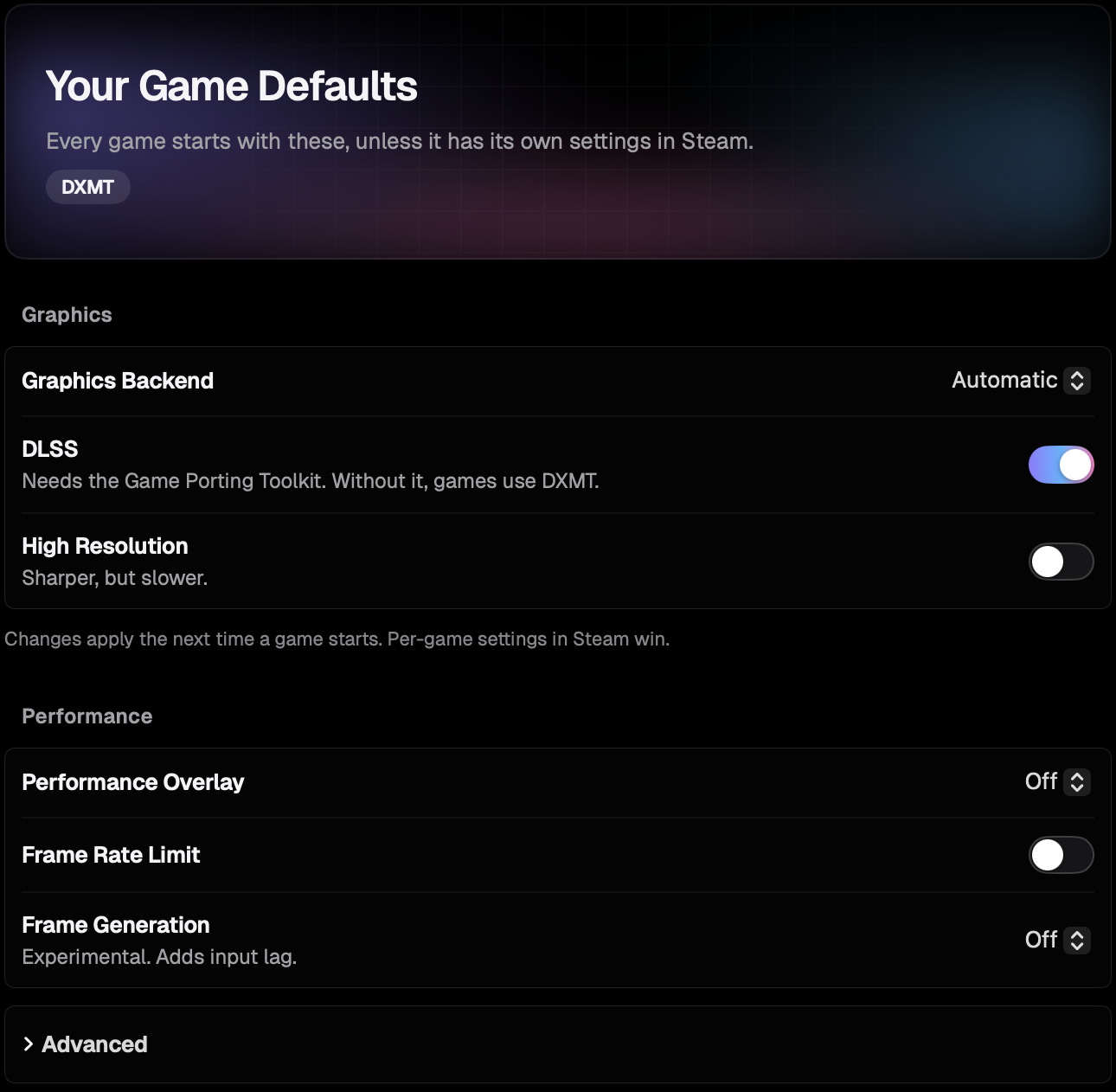
GameDefaultsView.swiftA row is a title, one short line and one control. Switch 38 × 22 · slider track 4, knob 16 · the reset arrow shows only on a changed setting.
Rows
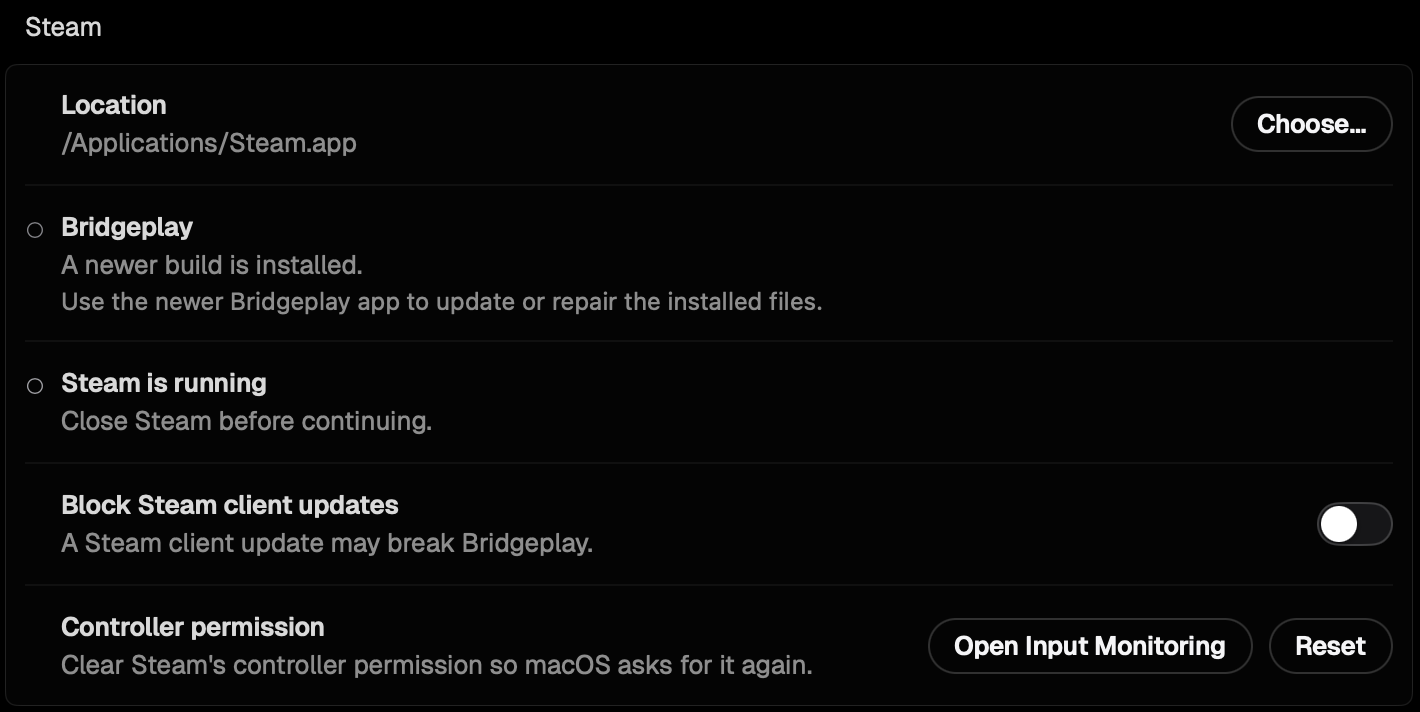
StatusRow: 8 pt dot, title 13 semibold, value · WizardRow: badge 24 × 24, radius 7, hairline inset 54
Hero
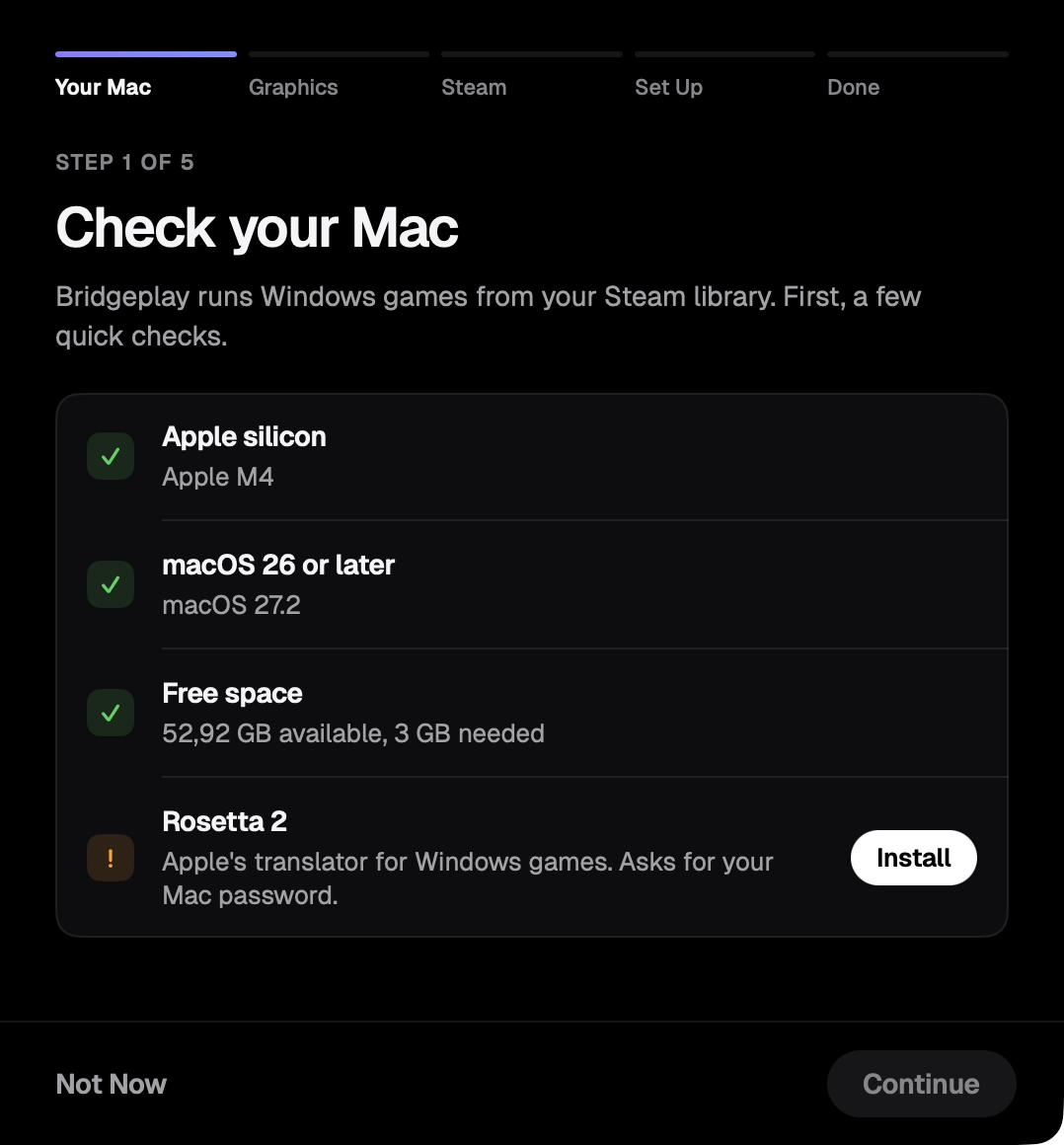
One per page · 148 high · headline 24 semibold, gradient only when ready · chips 11 semibold on white 10% · StatusHero.swift
Navigation and steps
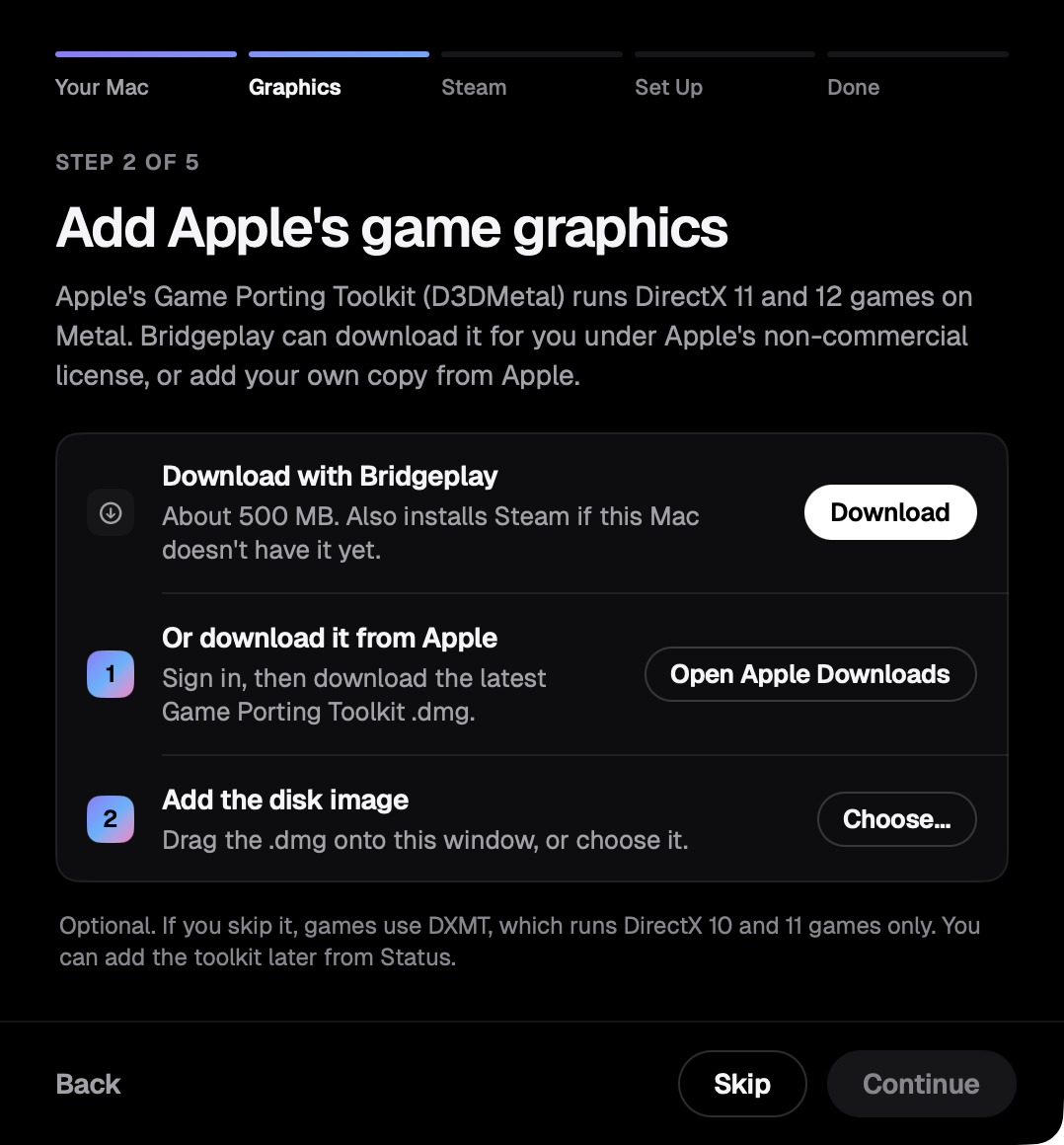
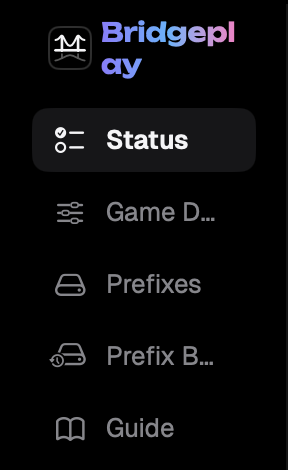
Sidebar item 32 high, radius 8; selected is raise2, never the system accent · step bar 3 pt segments, one gradient up to the current step
Banner and corner card
News is a banner above the window's content. The corner card is the only surface with a shadow.
States
Every page has all four. A failure always offers a next step.

ContentUnavailableView with the page's symbolDon't A lone spinner for a page
Don't A dead end
In the game and in Steam
The same ink, type and gradient, drawn over the game. These are renders from the drawing code, with sample readings.
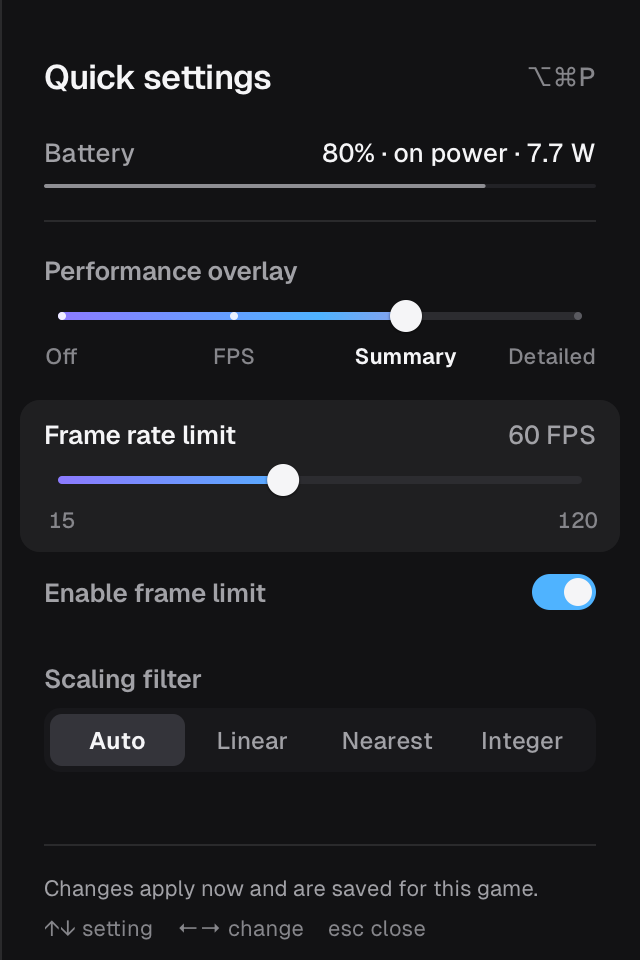
sidebar.m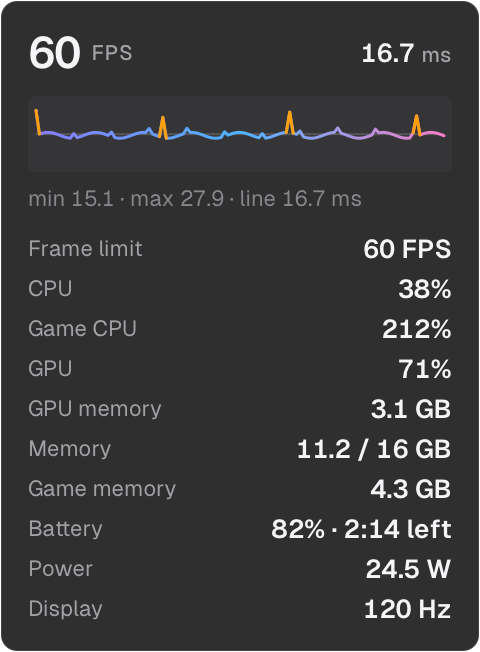
perfhud.m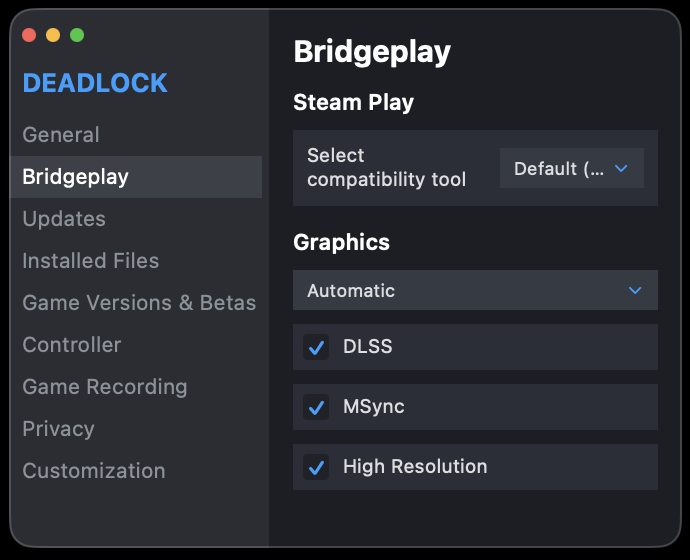
| Surface | Rule |
|---|---|
| Quick settings | 320 wide. A slider for ordered choices, a selector for unordered, a switch for on or off. Focus is one white 5% tint. |
| Performance overlay | #0D0D0F 86%, radius 8. A value the Mac does not report is left out. |
| Bridgeplay tab in Steam | Steam's own controls and colours. It lives in Steam's page. |
| Everywhere | An option has one name and one order. No game art ships. |
Copy
Plain and short. Capitalization and punctuation follow macOS.
| Kind | Rule | From the app |
|---|---|---|
| Button, menu item, setting | Title Case; verb and object | "Open Input Monitoring" |
| Headline, state | Sentence case | "Ready to play" · "Steam is running" |
| Value | A sentence with a full stop | "Not installed." · "Sharper, but slower." |
| Dialog | A question; the button repeats the verb | "Block Steam client updates?" · "Block Updates" |
| Error | What happened, then what to do | "Steam is running. Close Steam before continuing." |
| Reassurance | Name what is kept | "Your settings, game prefixes and saves are kept." |
| In progress | Participle and "…" | "Checking…" |
Don't Technical, and shouting
Do Plain, "could not", no exclamation mark
Don't No subject, and "OK"
Do The question names it; the button repeats it
Definition of done
A screen is ready when every line is true.
- One sentence says what the screen is for
- macOS draws whatever it can
- Only
BP.*colours andBP.sanssizes - Spacing and radii from the tables
- At most one white pill per row or step
- The gradient only for emphasis
- Loading, empty and failed states exist
- Destructive actions ask first and say what is kept
- Copy follows the table, in all four languages
- State changes take 0.45 s or less
- SF Symbols; icon-only buttons are labelled
- Works at 800 × 600 and in the longest translation
- Checked in the debug previews, not a built app
- Screenshots show no game covers or personal paths
Recorded exceptions
On purpose. Do not fix them.
| Where | What | Why |
|---|---|---|
| The app | Dark only | The brand is a black canvas |
| Dialogs, menus, toolbar, tables, About | macOS's own look | See "Leave to macOS" |
| Update window | Sparkle's | SPUStandardUpdaterController |
| Rebuild and launch progress panel | System font, app icon, system appearance | Follows the alert before it |
| Drawings of Steam | Steam's colours, radius 2 | They show Steam |
| Bridgeplay tab in Steam | Steam's classes | It lives in Steam's page |
| In-game drawing code | Hex tokens, no symbols, no animation | C in the game's process |
| Pill border | Capsule(style: .circular) | The continuous curve leaves a tick |
| Wordmark | Unbounded | The display face's only use |
| Setup art | #7DFF8A, monospaced digits | Imitates the Metal HUD |
| DMG background | Monospaced labels, radius 28 | Sits behind Finder icons |
Known gaps
Inconsistencies in today's UI. Do not copy them.
| # | Gap | Where |
|---|---|---|
| 1 | System buttons beside pills | PatchBanner PlayReportCard report sheets |
| 2 | A second banner style: .bar material, system type and orange | PatchBanner play report bars |
| 3 | Four switches: brand, in-game flat blue, system toggle, checkbox | sidebar.m InstallerView PlayReportCard |
| 4 | Installer progress is the system bar | InstallerView |
| 5 | Section headers styled on Game Defaults, system on Status | GameDefaultsView StatusView |
| 6 | StatusRow uses .secondary and .callout, not tokens | StatusView |
| 7 | Step bar written twice; the installer's differs | StepBar InstallerView |
| 8 | Hero frame written twice | StatusHero DefaultsHero |
| 9 | Sheet titles 15 and 17; padding 20 and 22 | WhatsNewSheet report sheets |
| 10 | Hairline 8% in the app, 10% in the game | BP.line ph_style.line |
| 11 | Off-scale: 12.5, 15, 19 pt; a radius 6 that is not continuous | GuideView InstallerView RowWash |
| 12 | Mixed case: "Has issues" beside "Smooth"; "Last used" beside "Private Size" | PlayReportCard PrefixesView |
| 13 | In-game labels are sentence case ("Frame rate limit", "Auto") | sidebar.m |
| 14 | Engine rows are not localized ("Download & Set Up", "Rescan") | StatusView |
| 15 | Languages: app 4; Steam tab 3; game English; Install.command Indonesian | webpatch.c sidebar.m installer/ |
| 16 | ⌘1 to ⌘5 are not in the sidebar's order | App.swift |
| 17 | At 900 × 760 the sidebar wraps the wordmark and cuts two names (debug preview) | RootView |
| 18 | Failures titled "Failed" or "Something went wrong"; red in the app, orange in the installer | Status, Setup Assistant, installer |
| 19 | "Thanks!", "Prefix rebuild failed!", five "Please", one "couldn't" | Localizable.xcstrings webpatch.c |
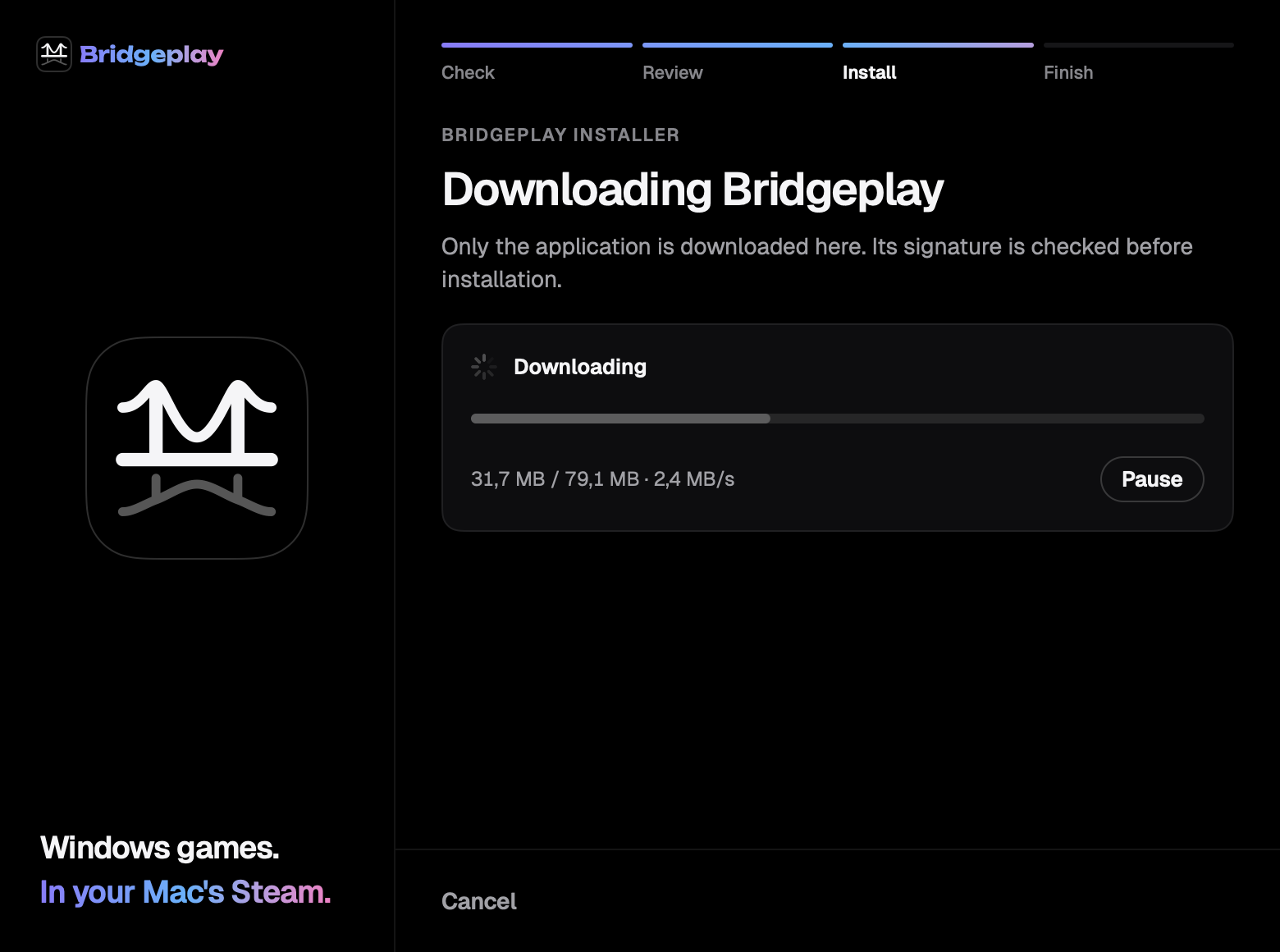
| 20 | The installer's first step is a lone spinner | InstallerView |
| 21 | No spacing tokens | All views |
Where things live
| What | File |
|---|---|
| Rules | docs/DESIGN.md |
| Tokens, fonts, pills, the mark | app/Sources/BridgeplayUI/BridgeplayTheme.swift |
| Views | app/Sources/BridgeplayApp/Views/ |
| Installer | app/Sources/BridgeplayInstaller/InstallerView.swift |
| Strings | Resources/Localization/Localizable.xcstrings |
| In-game UI | overlay-shim/sidebar.m overlay-shim/perfhud.m |
| Steam tab | dylib/feats/webpatch.c |